Structured oversight, demonstrable competence, regulator-ready records
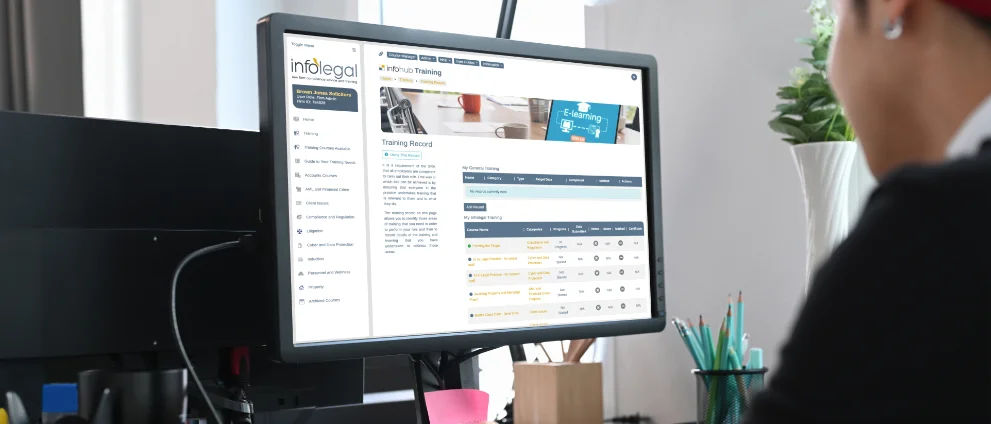
Infolegal’s InfoHub does more than deliver compliance training. It provides firms with a robust training management framework that enables those responsible for compliance, risk and governance to plan, assign, monitor and evidence learning in line with the Solicitors Regulation Authority’s (SRA) approach to continuing competence.
The system is designed to support COLPs, COFAs, partners, HR teams and departmental heads in meeting their regulatory responsibilities while keeping administration proportionate and manageable.


Role-Based Training Oversight
The InfoHub allows firms to appoint one or more Course Managers, each with responsibility for defined groups of staff or departments. This enables training oversight to sit with those who best understand the risk profile and competence needs of the individuals concerned, while still allowing firm-wide visibility where required.
Course Managers can be assigned centrally or at department level, ensuring that training responsibility is clearly owned, an approach that aligns with the SRA’s expectation that firms take a structured and accountable approach to competence management.
Targeted Course Assignment and Re-Issue
Courses can be assigned:
- to individual users,
- to groups of users, or
- in bulk across the firm using the Bulk Course Manager.
This allows firms to:
- roll out mandatory annual training (e.g. AML, client money, confidentiality),
- target higher-risk roles with enhanced training, and
- respond quickly to regulatory change or internal risk events.
Courses can also be re-issued, supporting annual refresher training or remedial learning where a knowledge gap has been identified. This reflects the SRA’s emphasis on ongoing competence, rather than one-off training exercises.

Automated Reminders and User Prompts
Once a course is assigned, the system supports completion through:
- on-screen reminders when users log in, and
- automated reminder emails where courses are not completed within a defined period.
These features reduce the need for manual chasing and help ensure that compliance-critical training is completed promptly and consistently, supporting effective systems and controls under the SRA Standards and Regulations.
Real-Time Monitoring of Progress and Outcomes
Course Managers can see, at a glance:
- which courses have been assigned,
- who has completed them,
- pass and fail status, and
- partial or incomplete attempts.
For each user and each course, managers can drill down to see:
- quiz results,
- answers given,
- previous attempts, and
- notes made by the learner during the course.
This level of visibility allows firms to move beyond “tick-box” CPD and instead identify areas of weakness, inform supervision, and decide whether further guidance or training is required — precisely the reflective approach envisaged by the SRA’s continuing competence framework.

Certificates and Evidencing Learning
Where a course includes an assessment, certificates can be downloaded directly from the system once the course has been passed. These certificates provide clear, contemporaneous evidence of learning and assessment and can be retained for internal reviews, Lexcel or CQS audits, or regulatory engagement.
Recording Non-Infolegal Training
The InfoHub also allows firms to maintain a central record of external and informal training, including:
- external courses,
- webinars,
- research,
- mentoring, and
- internal briefings.
Course Managers and administrators can view and export these records, enabling firms to demonstrate that they recognise and record a broad range of learning activities, consistent with the SRA’s guidance that competence is not limited to formal courses alone.
Custom Course Creation
Firms can create their own internal courses within the InfoHub, using:
- videos (including YouTube or Vimeo),
- PDF materials, or
- links to third-party training providers.
Optional quizzes can be added to test understanding. This allows firms to:
- embed internal policies and procedures into the training framework,
- track engagement with firm-specific guidance, and
- maintain a single, auditable training record for all learning, whether sourced from Infolegal or elsewhere.

Reporting and Export for Compliance Purposes
Training records can be exported as CSV files over defined date ranges, allowing firms to:
- prepare evidence for SRA inspections,
- support COLP and COFA annual reviews,
- demonstrate compliance during Lexcel or CQS assessments, and
- respond efficiently to regulatory or insurer enquiries.
This reporting functionality ensures that firms can demonstrate, not merely assert, that appropriate training systems are in place.
Supporting the SRA’s Continuing Competence Regime
The SRA does not prescribe hours-based CPD. Instead, it expects solicitors and firms to:
- reflect on learning needs,
- undertake appropriate training,
- assess its effectiveness, and
- keep adequate records.
The Infolegal training management system is expressly designed to support this model by enabling:
- targeted and risk-based training decisions,
- monitoring of completion and understanding,
- identification of learning gaps, and
- clear, exportable records.
For those responsible for compliance, the system provides reassurance that training is structured, proportionate and defensible, rather than ad hoc.
A Practical Tool for Compliance Leadership
Taken together, these training management features allow firms to move from reactive compliance to planned, evidence-led competence management, supporting both regulatory expectations and good risk governance.